
Debt Calculators
Credit Card Debt Payoff Calculator
Enter up to four cards and compare the debt snowball against the debt avalanche side by side — then export your real payoff schedule to a spreadsheet.

Compare snowball vs avalanche
Leave any card's balance at $0 to ignore it.
Debt avalanche
Highest interest rate first
Debt snowball
Smallest balance first
Assumes minimum payments stay fixed in dollar terms rather than shrinking as balances do, which is how most real card issuers actually calculate minimums — a simplification, but a standard one for payoff calculators.
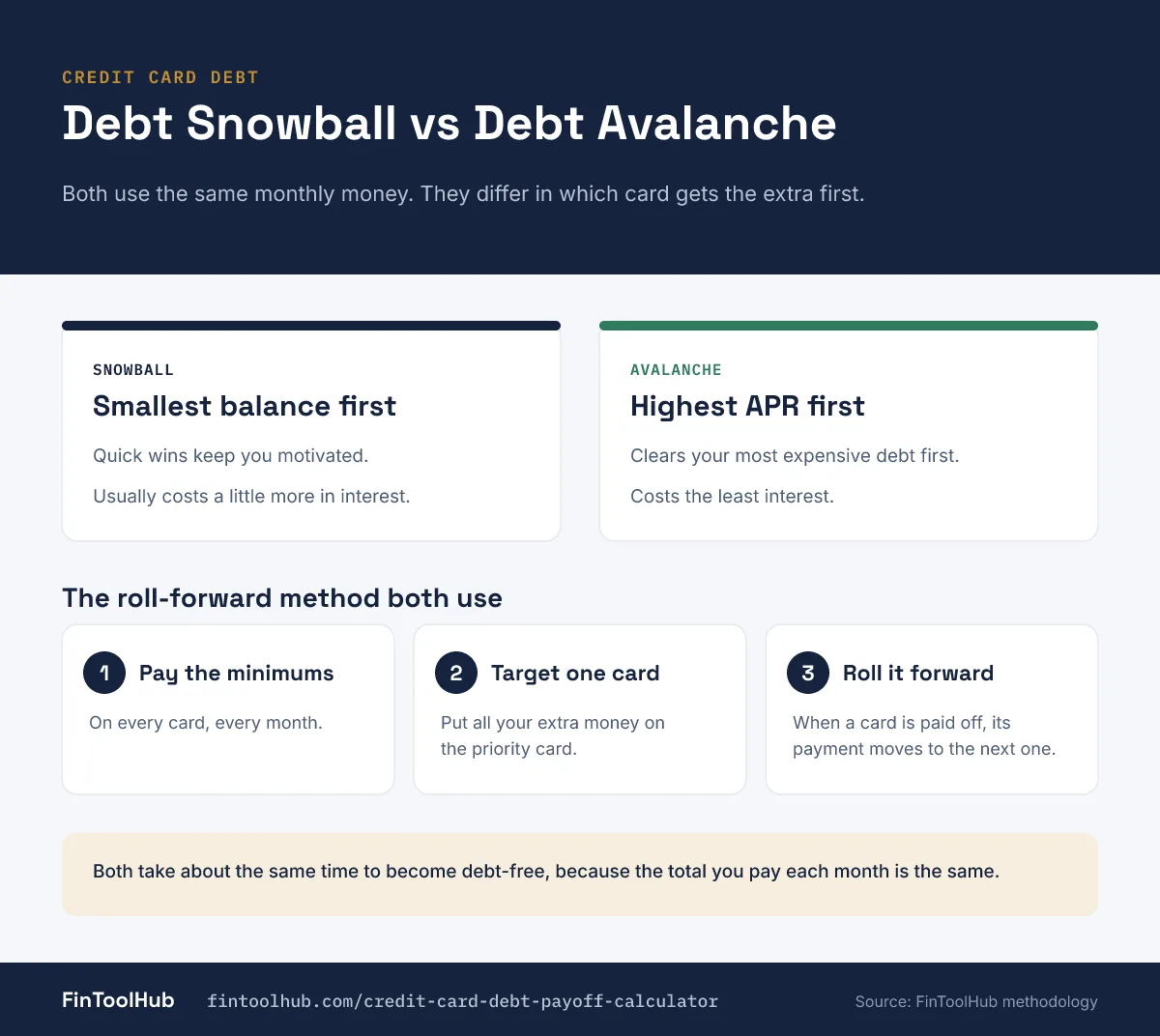
How this credit card debt payoff calculator works
Every dollar of your extra monthly payment plus every dollar freed up when a card is paid off gets redirected to your highest-priority remaining card each month — that's the "roll-forward" mechanic behind both the snowball and avalanche methods, and it's what any real credit card debt payoff calculator or credit card debt calculator payoff tool should be simulating month by month, not approximating with a single formula.
To payoff credit card debt calculator-style tools correctly for more than one card, you need the full picture: every card's balance, APR, and minimum payment, plus how much extra you can throw at debt each month. This one runs both strategies side by side so you're not just guessing which one wins for your specific numbers.
Snowball vs. avalanche: what actually differs
A credit card debt payoff calculator snowball vs avalanche comparison usually reveals something people don't expect: the two methods typically take close to the same total time to become debt-free, because the total dollars flowing toward debt each month — minimums plus extra — doesn't change between strategies. What differs is how much interest accrues along the way, since avalanche eliminates your most expensive balance first, which the math will generally favor at least slightly on both interest and total time; it's never mathematically worse.
| Method | Priority order | Best for |
|---|---|---|
| Avalanche | Highest APR first | Minimizing total interest paid — the mathematically optimal choice |
| Snowball | Smallest balance first | Early wins and motivation — knocking out a full card fast builds momentum |
Getting a real spreadsheet without building one yourself
A credit card debt payoff calculator excel template free download search usually means someone's ready to build their own tracking spreadsheet from scratch. The export button above skips that step — it generates a real month-by-month CSV of your actual payoff schedule (opens directly in Excel, Google Sheets, or Numbers) for whichever strategy you're comparing, with your real numbers already run through the math.
What this doesn't model
- Minimum payments that shrink over time — most issuers calculate minimums as a percentage of the current balance, so your real minimum will decrease as you pay down debt. This calculator holds minimums fixed, a standard simplification that slightly understates how much faster later months could go.
- Balance transfers or 0% promotional APR periods — a temporary rate change would change the math significantly; re-run the calculator with adjusted APRs if you're considering one. Our HELOC vs. Personal Loan vs. Balance Transfer guide covers that decision in more depth.
- New charges — this assumes you stop adding to the balances and only pay them down.
Standard revolving-balance interest accrual and payment-cascade methodology, the same mechanics used across the debt payoff calculator industry. This is a planning estimate — confirm your card issuers' actual minimum payment calculations and current APRs, which can change.
Frequently asked questions
Before you pick a payoff order.
Is the debt avalanche or debt snowball method better?
Avalanche (highest interest rate first) is mathematically optimal or tied for both total interest paid and total payoff time — it's never worse than snowball on the numbers. Snowball (smallest balance first) can still be the better real-world choice if the psychological momentum of quick wins keeps you more consistent.
Do snowball and avalanche really take the same amount of time?
Often very close, sometimes identical — because the total monthly payment (minimums plus extra) is the same in both strategies. The difference shows up mainly in total interest paid, not necessarily total months, though avalanche is never slower.
Can I download my payoff schedule?
Yes — the export button generates a CSV file with your month-by-month balances and cumulative interest for the strategy you're viewing, which opens directly in Excel, Google Sheets, or Numbers.
What if my minimum payment changes as my balance goes down?
Most card issuers do reduce minimum payments as balances shrink, but this calculator holds minimums fixed for simplicity — a standard approach across payoff calculators. Your real payoff could be modestly faster than shown if you keep paying the same total amount even as required minimums drop.
Should I use a balance transfer instead of either method?
A 0% promotional balance transfer can meaningfully reduce interest during the promotional period, but isn't modeled here directly — re-run the calculator with an adjusted APR to approximate the effect, and watch for transfer fees and what the rate reverts to afterward.